


Welcome to Link Round Up, our series where we share the tools, projects and ideas that grab our attention.
This month’s edition features AI-driven security breaches, Firefox fighting back with AI-assisted bug hunting, a built-in PDF editor you may have missed, a Mac app for better project focus, a website with a very blunt message for the AI slop merchants and more!
AI is involved in 83% of reported security breaches.
That comes from Gigamon’s 2026 Hybrid Cloud Security Survey, which also found that a terrifying 65% of organisations experienced a breach in the past year despite increased investment in security tools and governance policies.
The report reveals that attackers are using AI to operate with greater speed and scale as defenders struggle with fragmented visibility across increasingly complex environments.
This serves as a useful reminder for us all to be vigilant!
Where AI is the problem, AI is the solution.
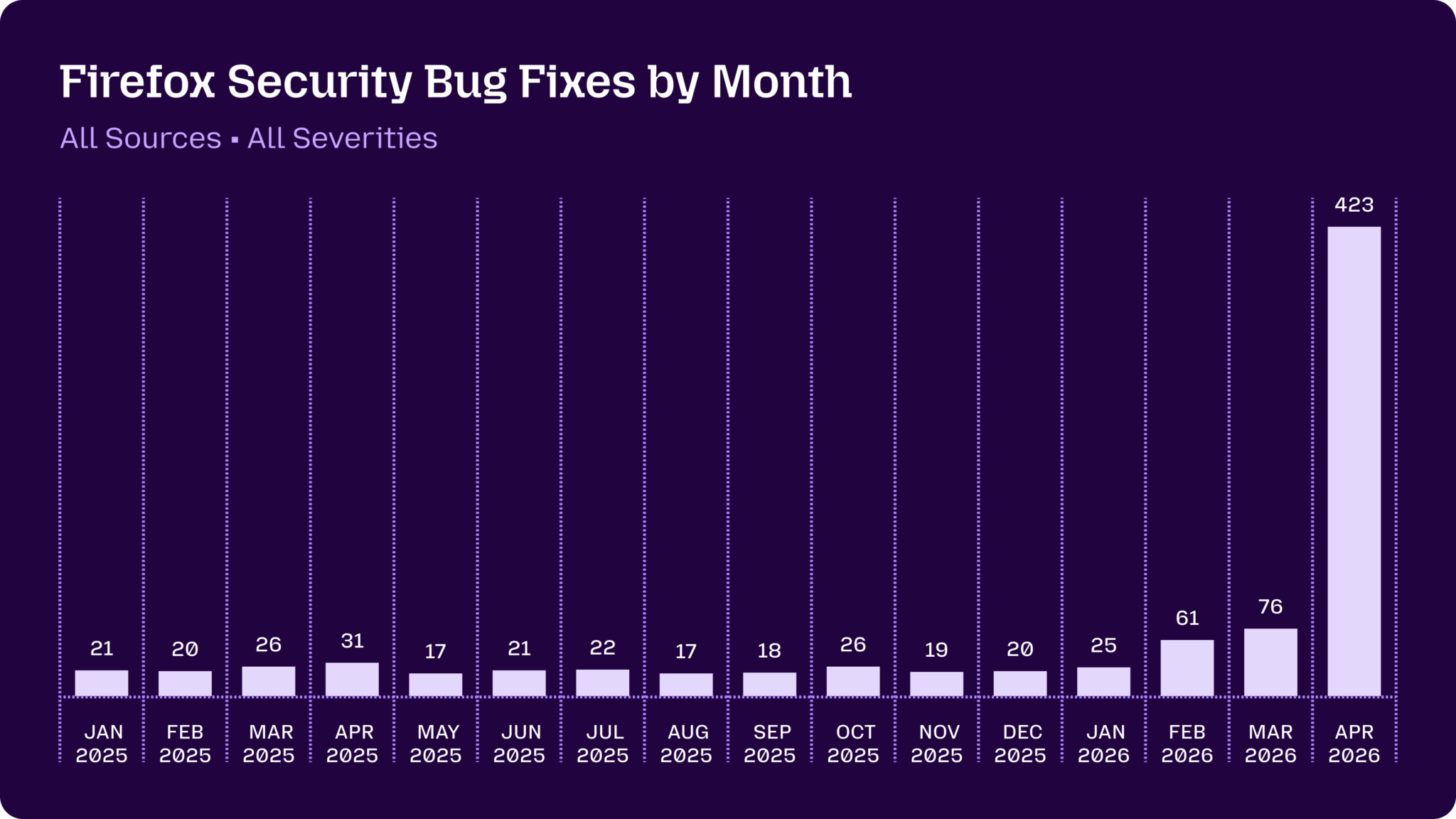
In 2025, Mozilla squashed an average of 22 security bugs a month. Last month, they fixed 423!
What makes the story particularly interesting is that Mozilla did not simply point an AI model at their Firefox codebase and hope for the best.
Their team built a proper process, combining fuzzing systems, manual inspection and an agentic pipeline across multiple models.
Claude Mythos Preview alone flagged 271 security issues, of which Mozilla shared that 11 were low, 80 were moderate and 180 were high severity.

This is our favourite use of AI in software development: not replacing skilled staff, but giving them better tools for finding the horrible little edge cases hiding within the walls.
Sticking with Firefox for a moment – #NotSponsored – did you know it has a built-in PDF editor?
The latest version lets you open PDFs in the browser and add text, images, highlights and comments, fill out forms, add saved signatures and annotate documents all without relying on any other apps!
Algorythmic’s LLM Content Visibility Scanner explores a very useful question: what can AI crawlers actually see on your page?
Crawlers for tools like ChatGPT, Claude and Perplexity generally do not run JavaScript when they fetch web pages, which means content depending on JavaScript rendering may be invisible to many AI crawlers.
This tool checks the raw HTML your server sends back and checks for issues around content, metadata, headings, crawlable links, alt text and structured data.
It can’t detect cloaking, some sites block the proxy and return stripped responses, and hybrid pages with skeletal SSR can score higher than they deserve and results shouldn’t be considered a ‘full audit’, but it is a handy way to spot whether your content is showing up where you think it is.
The next tool we came across pairs perfectly with the last. How many times have your found yourself on a page that’s well-written and nicely designed, but leave you thinking: “Okay, but what about my actual question?”
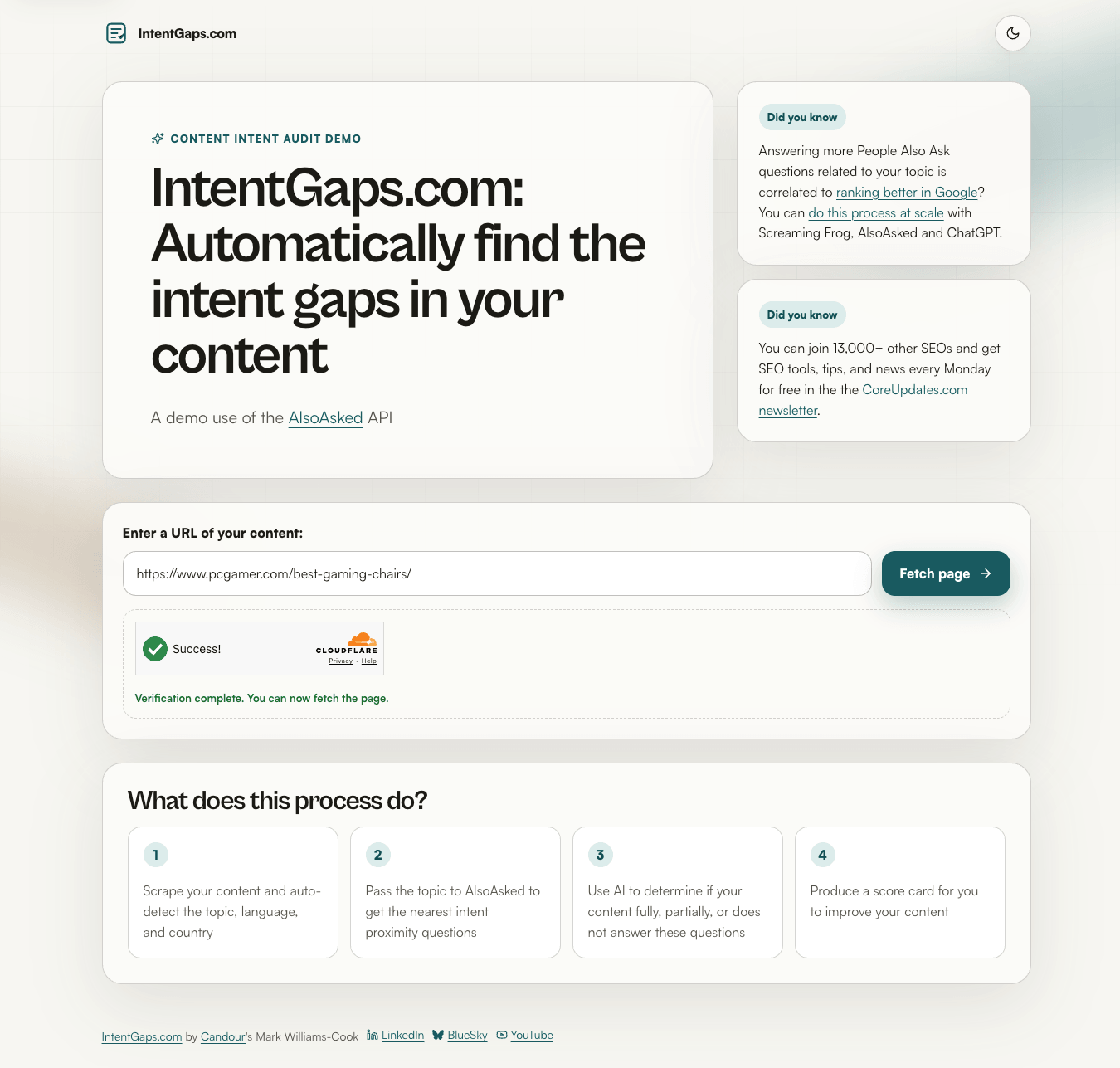
With IntentGaps you enter a URL and the tool then checks whether the page answers the kinds of questions people are actually asking around that topic.
It renders the page, reads the content, works out the likely topics and pulls in related “People Also Ask” style questions using AlsoAsked data. From there, it highlights relevant questions your page may not be answering.
This useful for refining pages before going live and especially when refreshing older content.
Tools like this help move content updates away from simply adding more words and towards making pages more useful, complete and aligned with real search intent.
Finally, for anyone writing newsletters, product updates or customer comms, Designmodo’s AI-powered Email Subject Line Tester is a practical one to bookmark.
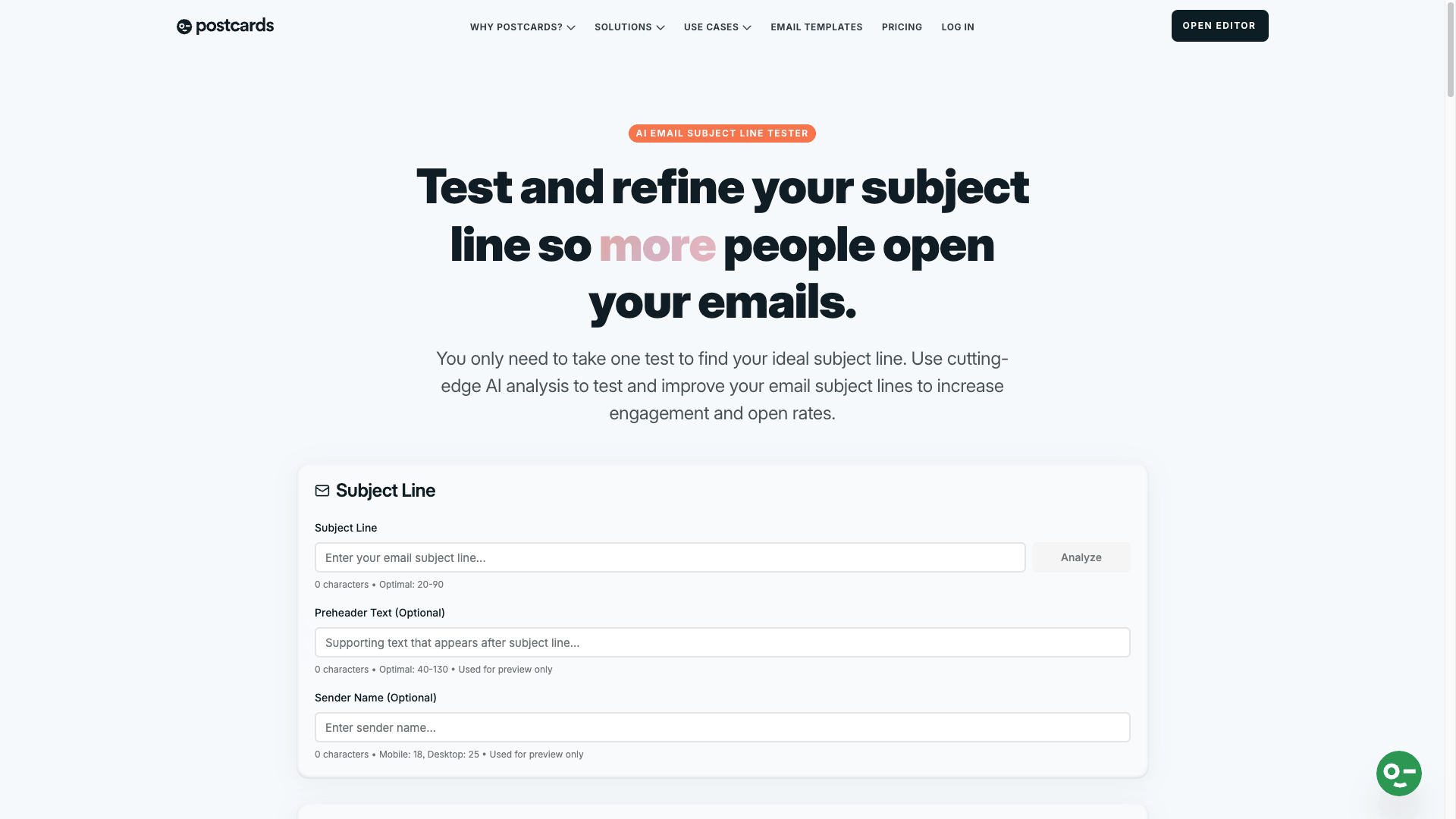
Paste in a subject line and it gives you a score, expected performance indicators, readability analysis and suggestions for improvement.
No subject line tester can guarantee opens – but it will help you to spot any obvious problems before you press send: too long, too vague, too technical, too spammy or just not giving people enough reason to care. Worth a quick check before launching any campaigns!
Your AI Slop Bores Me is a fun social experiment where we (humans) pretend to be AI!
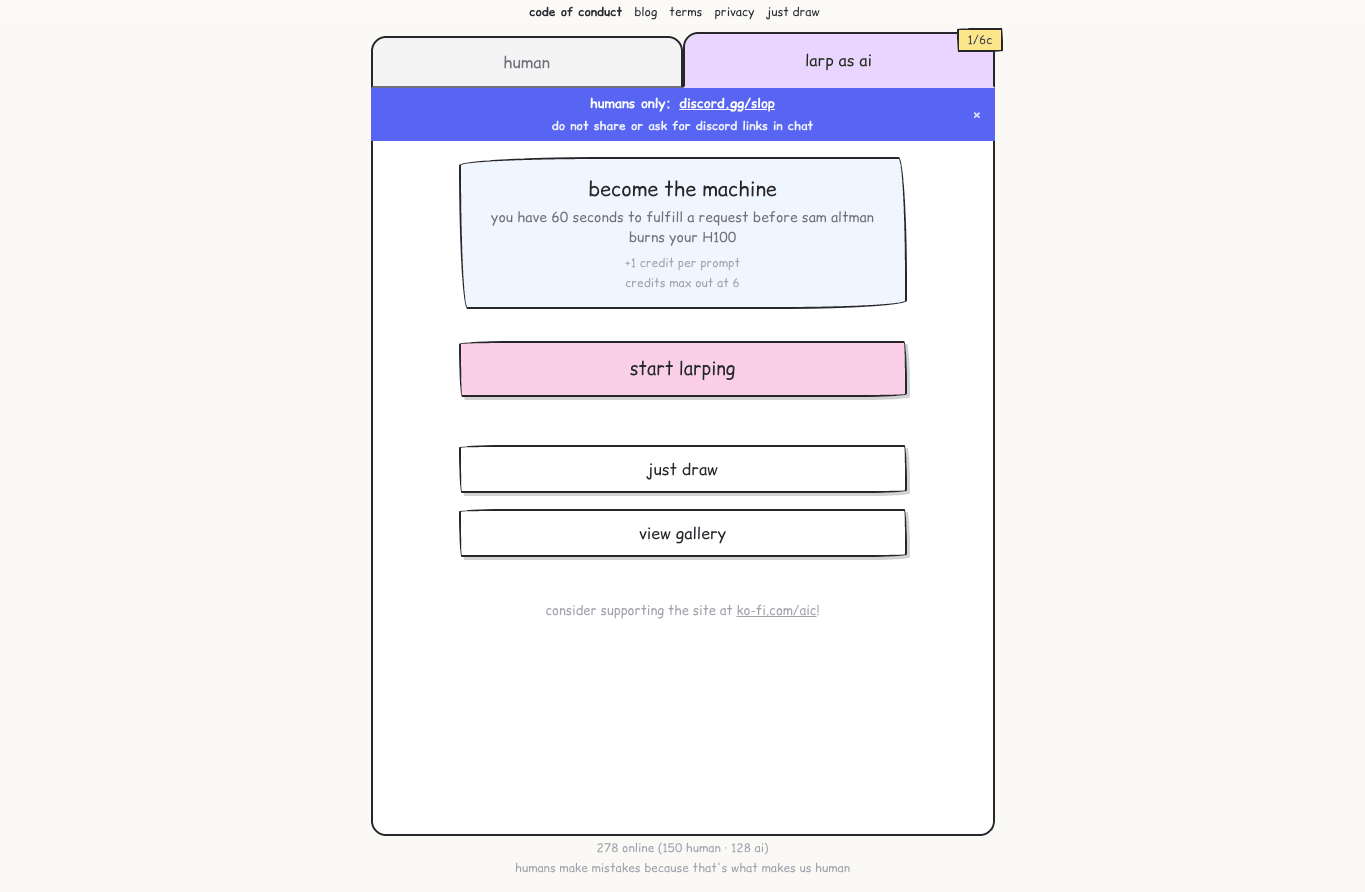
You submit a prompt, another real person gets assigned the job of answering it, and the result is exactly as weird, funny and unpredictable as you would expect from asking the internet to roleplay as a chatbot.
It is silly, but there is a point hiding underneath the chaos – the web craves actual human taste, humour and effort. Feel free to share your most amusing SFW conversations in the comments section!
If you’re too busy with everyday tasks to larp as an LLM and use macOS, then Drawers gives every project its own dock, space and windows on macOS.
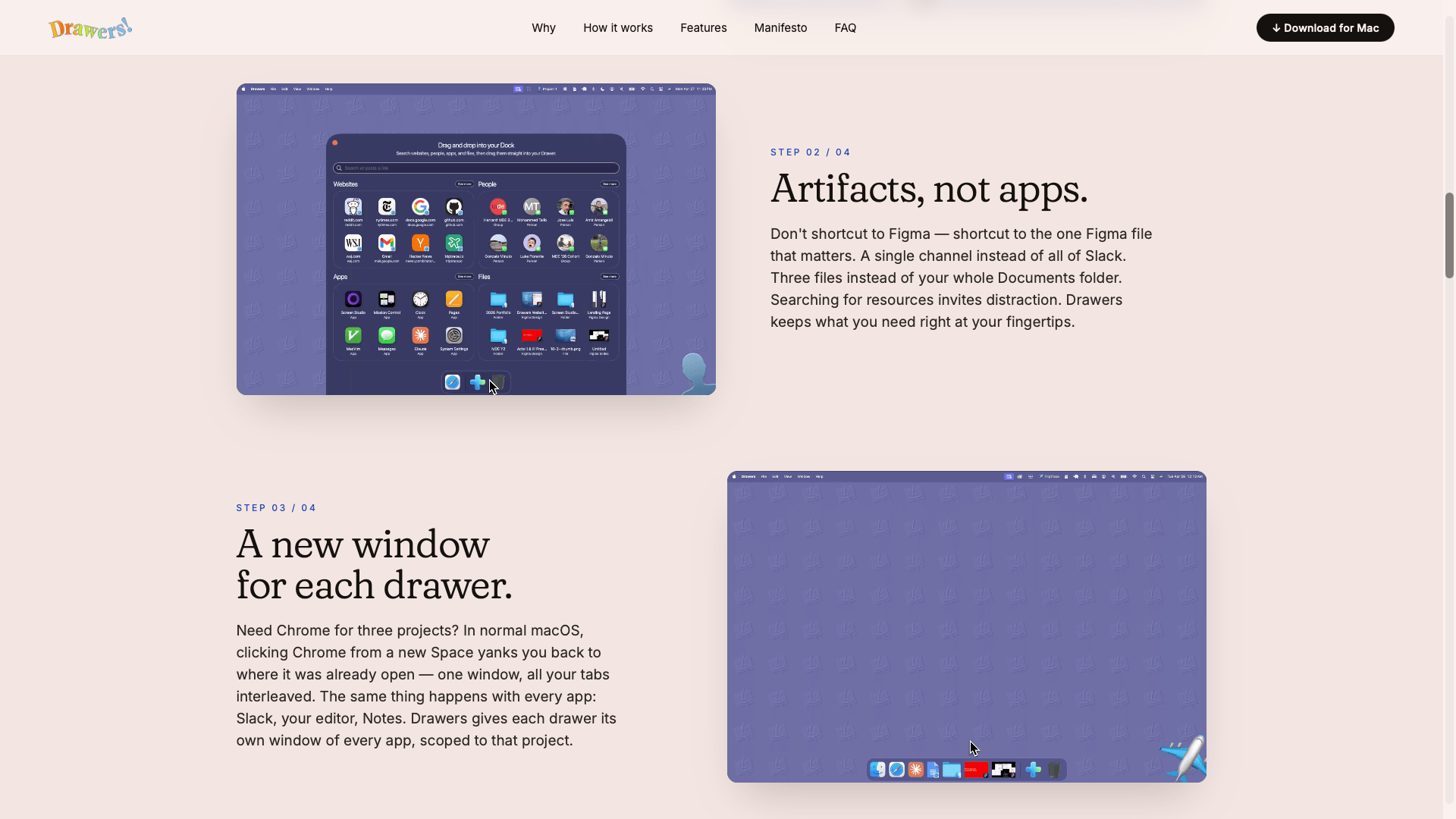
MacOS understands apps, files and windows, but it does not understand projects.
Drawers gives each project its own working environment, with the right apps, links, files and windows all ready to go.
It is completely free, works with macOS versions 14+, runs locally and does not require an account.
For quick jobs, MyToolHub hosts heaps of helpful utilities in one place.
This browser-based workshed offers free image, file and (if you’ve not switched to Firefox) PDF tools to assist developers, designers and everyday users to simplify workflows and get things done.
As always, be sensible about what you upload to any browser-based tool but, for those “I just need to do one tiny thing” moments, resources like this can save a surprising amount of time.
When something goes wrong with your website or services, silence makes everything worse. A clear status page and proper incident updates is how you reassure your users while you tackle the issues at hand.
OneUptime is an open-source observability platform that covers monitoring, incidents, status pages, on-call, maintenance, logs, metrics, traces, exceptions, Kubernetes, Docker, workflows and dashboards.
In other words: all the things you wish were already nicely joined together before something breaks!
It does not make downtime fun, but it makes it much less chaotic.
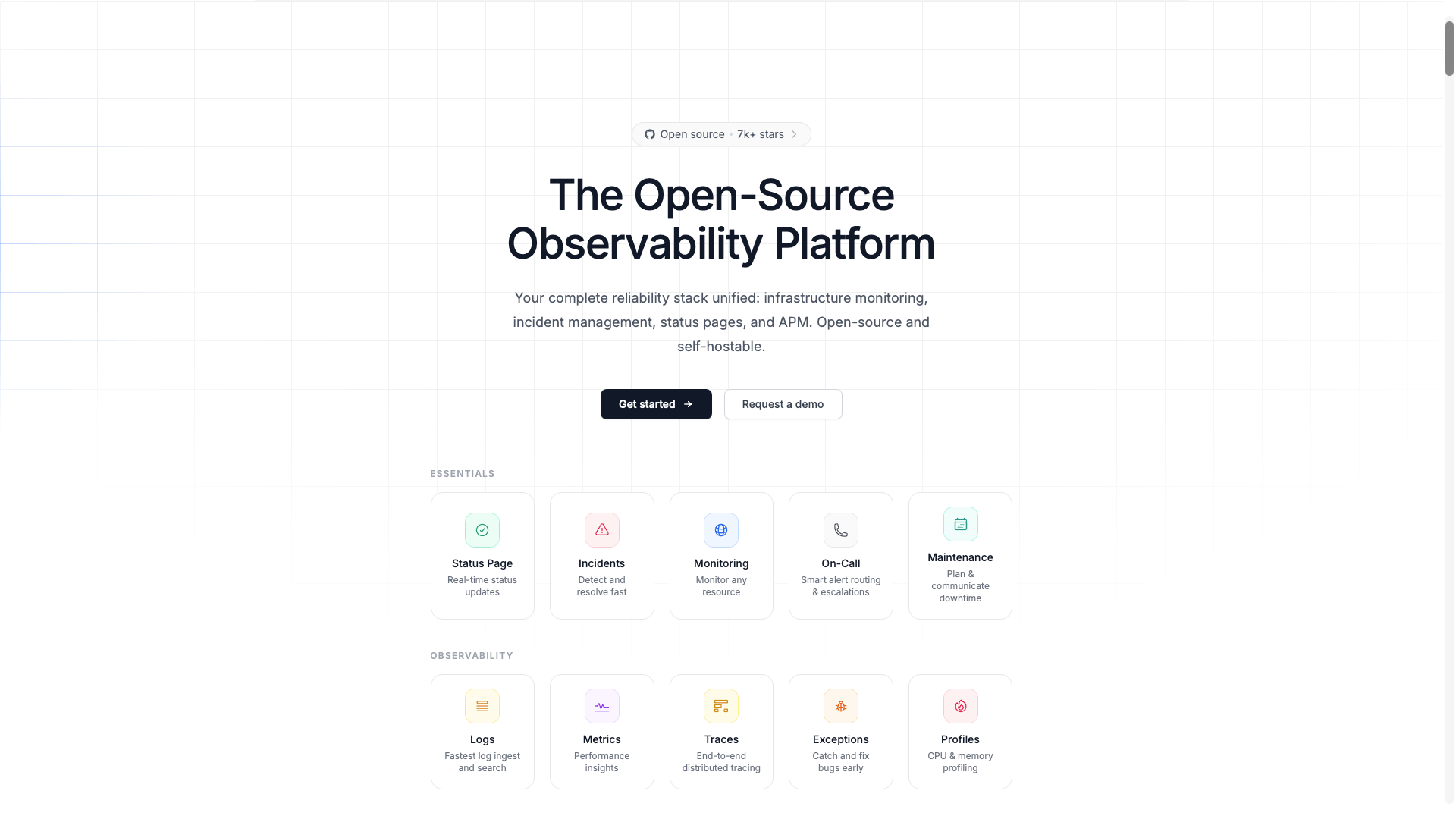
The free version includes 1 status page, 100 subscribers, unlimited manual monitors, incident management, logs, traces, metrics and more.
Have you come across anything interesting, useful or unusual that caught your attention recently? Let us know in the comments section!