


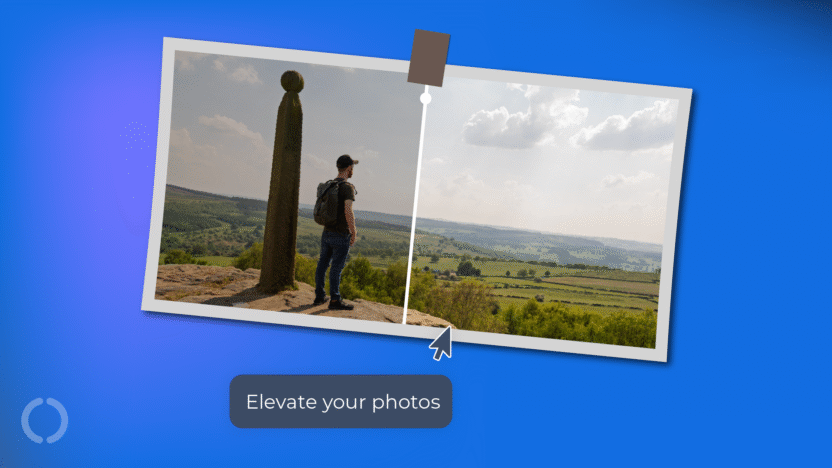
If you own a smart phone made in 2020 or later, you’re equipped with a camera powerful enough to capture HDR photos.
HDR images have brighter highlights, deeper shadows and a far richer range of colours compared to conventional digital images.
By default, WordPress processes and scales down any HDR images you upload, stripping the vibrancy from your visuals.
In this article, we’ll show you how to elevate the look and feel of your client’s ecommerce, blog, and photography WordPress sites using HDR photography – creating a better visual experience that grabs attention.
| We strongly recommend viewing this article on a device with a HDR capable display. Scan the QR code to access this page on your phone. |

|
HDR Adoption & Market
6 billion smartphones, 1 billion TVs, and millions of tablets, laptops, and desktop displays can display HDR content.
Android, iOS, Windows, MacOS and many Linux distros have native HDR support.
Industry giants Apple, Amazon, Alphabet, Meta, Netflix, Disney and ByteDance are all heavily invested in creating content that showcases the technology.
With so many devices and ecosystems able to take advantage of deep, inky blacks and searing, bright highlights; it’s time to upgrade the browsing experience for your customers and users.


[SDR vs HDR side by side comparison]
Brief High Dynamic Range Overview
Most devices can take advantage of HDR, but what exactly is it?
‘High dynamic range’ is the ratio between the darkest and brightest parts of a scene and is measured in stops.
Our eyes can discern up to 14 stops of dynamic range. High quality, non-HDR displays (SDR or Standard Dynamic Range) can show around 9 stops of range.
As each ‘stop’ is twice as much light as the last, the difference between the 9 stops of older displays and the 14 stops of your eyes is significant!
Modern HDR displays show around 12 stops, more closely matching the light and dark levels that human eyes can discern.
This makes HDR images and video content appear much more striking and true-to-life when shown on HDR displays.
There is another aspect to HDR that improves the experience for content consumers: colour.
Colour Spaces & Colour Gamuts
The photos and videos you’ve used on websites to this point fit within the SDR colour space known as sRGB. This standard was introduced in 1999 as a refined version of the rec.709 standard for broadcast television.
SDR displays show just over a third of the colours that our eyes are capable of seeing.
The two main HDR colour gamuts, P3 and rec.2020, both get significantly closer to displaying the full range of colours we can see than SDR displays.
The P3 colour space shares the white point, gamma curve and blue primary colour of sRGB, but red and green extend further to better represent how our eyes see colour for a more immersive and vibrant experience.
The established standards for HDR video, Dolby Vision, HLG, HDR10 and HDR10+, all target the superior rec.2020 gamut which provides an even greater breadth of colour than P3.
HDR File Types & Supported Browsers
The streaming, social media and video gaming industries deliver HDR content to their users through established standards, but things are more fragmented when it comes to the web.
Here are the browsers that support HDR content and file types:
| Chrome | Brave | Edge | Opera | Safari |
|---|---|---|---|---|
| Images | ||||
| AVIF | AVIF | AVIF | AVIF | AVIF |
| PNG | PNG | PNG | PNG | PNG |
| JPG | JPG | JPG | JPG | JPG |
| HEIF | HEIF | HEIF | HEIF | HEIF |
| HEIC | HEIC | HEIC | HEIC | HEIC |
| Video | ||||
| MP4 | MP4 | MP4 | MP4 | MP4 |
| MOV | MOV | MOV | MOV | MOV |
At the time of writing, Mozilla is working on HDR support for their Firefox browser.
We recommend avoiding HEIF, HEIC and MOV files on your website to ensure compatibility with non-Apple users.
WordPress and HDR
WordPress is compatible with these image and video file types that support HDR content:
| Images | |||||||||||||||||||||||||||||
| AVIF | PNG | JPG | HEIF | HEIC | |||||||||||||||||||||||||
| Video | |||||||||||||||||||||||||||||
| MP4 | MOV | ||||||||||||||||||||||||||||
If you sign into your WordPress site using your phone and upload a HDR image in one of the supported file types – you’ll be disappointed by the results.
This is because WordPress takes the images you upload and creates scaled down versions, stripping out the HDR metadata in the process.
You’ll see “-scaled” added before the end of the filename in the Media Library, which confirms the default behaviour is active.
There are two main ways to address this:
- Change your theme’s function .php
One is to change your theme’s functions.php file and add the following code after the opening PHP tag and before any closing tags or return statements:
// Disable automatic image scaling in WordPress 5.3+

add_filter( 'big_image_size_threshold', '__return_false' );
This will stop WordPress from wrecking your images, but you’ll need to be mindful of getting your images down to a reasonable file size before uploading so you don’t slow your page load speeds and potentially degrade the user experience.
- Manually edit images
The other way is to upload your images and put them on your pages or posts as normal, then use the “Edit as HTML” feature to strip the “-scaled” part out.
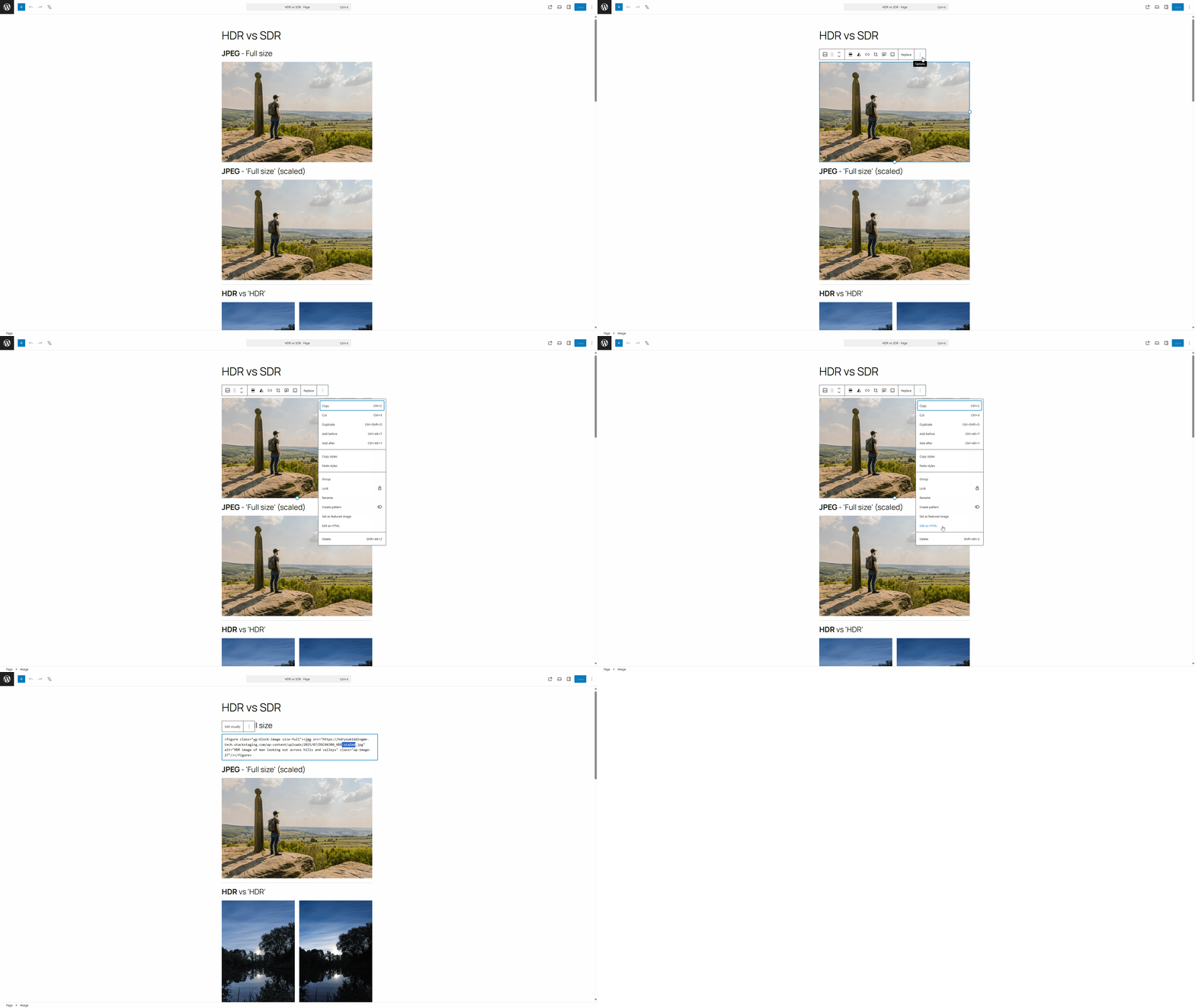
Having to repeat this process will eat up a lot of time for each image, so we’d recommend the previous method if you plan to rollout HDR content at scale.
HDR Business Opportunities
99%+ of the web uses SDR imagery. Showcasing HDR content will make you stand out: it’s a visible improvement that clients can immediately see the added value of.
HDR photography, WordPress integration and image optimisation are ideal as premium revenue generators to add to your list of services that your customers in the ecommerce, hospitality, real estate and other visual industries will benefit from.
Support for HDR is growing on the hardware and software side, and adoption rates increase with every modern mobile phone sale.
Building HDR-ready websites ensures your client’s sites look their best now, and into the future.
Our CDN is designed to handle HDR content with ease, so your clients will enjoy the same blazing fast speeds that they know and love while dazzling their users with cutting edge content.
Final thoughts
The web is well on the way to becoming a brighter and more colourful place as HDR adoption continues across the hardware and software of mobile, tablet and desktops platforms.
The process of capturing, editing, exporting and uploading HDR content to websites is a little more complex than a conventional SDR workflow; but the results are stunning, and truly stand out.
Will you be providing HDR content for your customers or on your own website? Leave a comment below and share your thoughts.
If you liked this article, check out our WEFCo photography guide.

This is an interesting article but I cannot see any difference between your ‘HDR’ and non-HDR images (apart from the ‘HDR’ having the contrast cranked-up and better resolution). All images here looks pretty much the same whether viewed on my MBPro (with HDR display) or an old Thunderbolt display. Does this only supposed to work on a mobile or something?
Hey, Matt. Thanks for checking out the article!
HDR covers a wider colour gamut and a higher range of brightness. Your Thunderbolt display should be able to handle about 375 nits and P3, so you should see some benefit.
I’m surprised that there’s not an immediate difference on your MacBook Pro’s display. It’s night and day with these settings: https://www.20i.com/blog/wp-content/uploads/2025/10/HDR-AppleMBPDisplaySettings.jpg
Thanks for the post… but I’ve managed to get into some trouble, hope you can help:
1. changed the functions.php
2. upload the image.
I can see it in HDR everywhere except on the final post. Preview is HDR, Right-Click open and it gets me the HDR image, but once I post it in a page or post, and checking that the code is correct, it still shows normal. Any idea why? the theme?
Thanks
Hi, Ricardo
Thanks for reaching out!
When you right click the image, does it show something like domain/wp-content/uploads/filename-768×512.avif on the live page? And are you able to see the proper HDR version on your phone or a high-end display?