



Welcome to Link Round Up, our series where we share the tools, projects and ideas that grab our attention.
This month’s edition features a surprisingly powerful lightweight RAW editor, a beautifully structured way to learn Linux, a terminal weather app with personality, an open-source retro gaming OS, a directory of FOSS alternatives and more!
Václav Novák of Czechian indie dev Waseku is working on a project that we’re extremely excited for: Data Center
The aim of the game is to design, cable and scale a functioning data centre. Place racks, install servers, manage cooling and power, and watch customer traffic move through your infrastructure.
What makes it particularly compelling is the visualisation of the infrastructure itself: traffic flows through the network, bottlenecks appear and – just like in real life – your layout decisions directly affect performance.
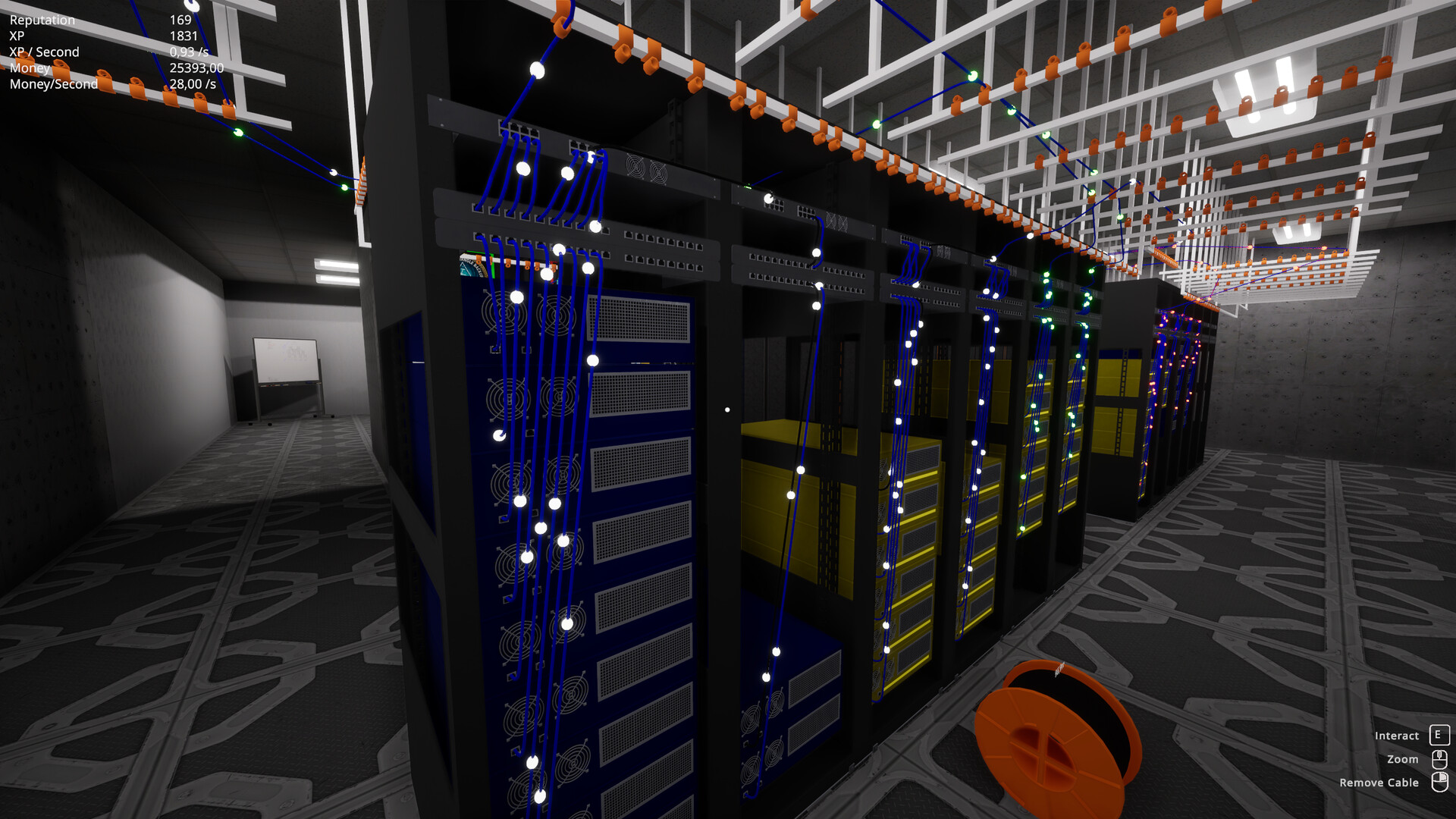
There’s a free demo available and the full version will release on 31 March 2026. [We’re not affiliated with the project in any way]
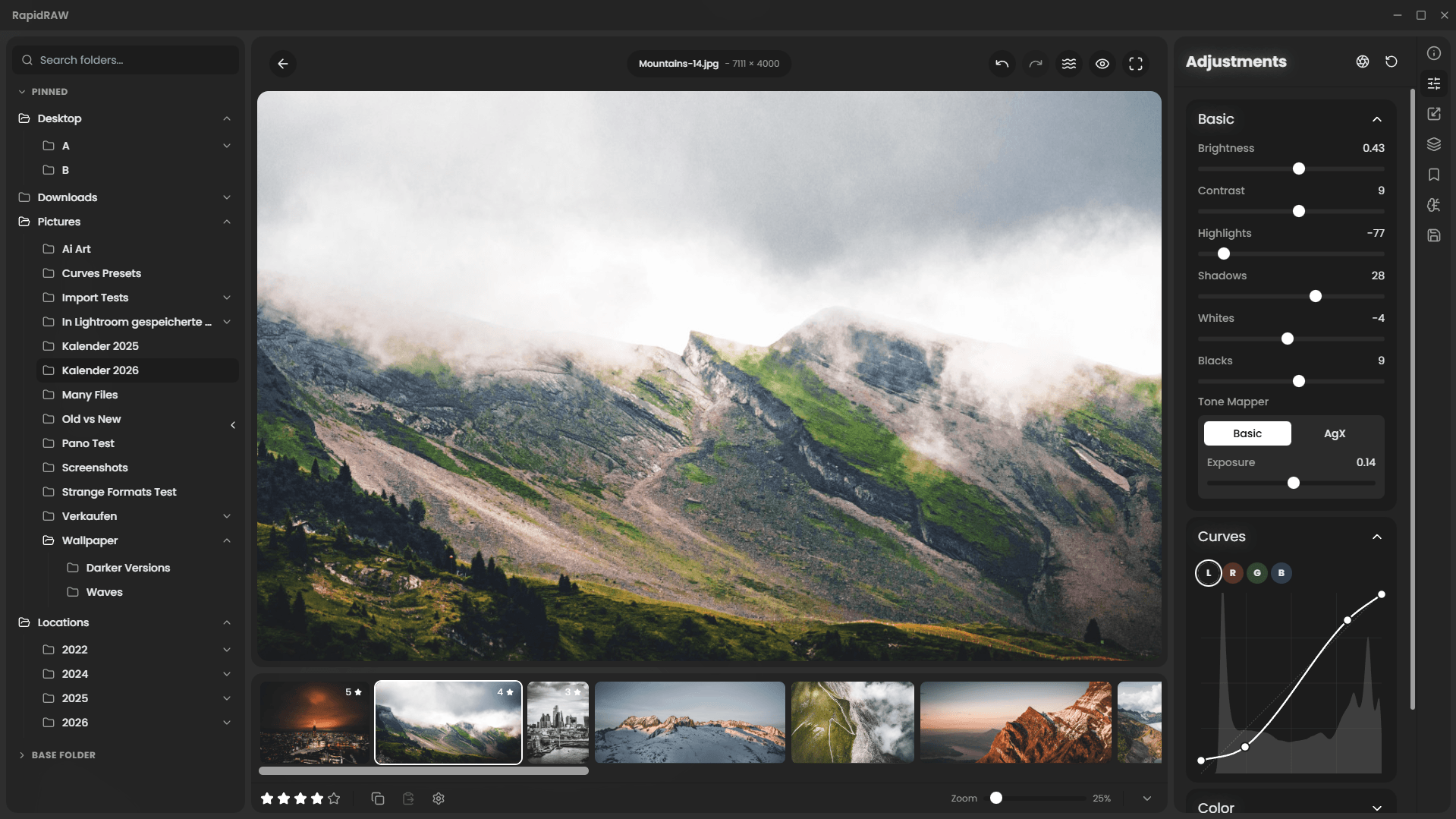
Timon Käch’s RapidRAW is one of those projects that makes you do a double take.
Started when Timon was just an 18 year old apprentice in 2025, this project is a non-destructive RAW photo editor with GPU acceleration, AI masking, batch processing, library management and optional generative features via ComfyUI. It’s also 20MB… That’s not a typo!
The project positions itself as a fast, efficient alternative to more bloated workflows, and comes at a very welcome time as creative tools trend toward ever-larger installs and subscription ecosystems.
If you’re interested in modern photography workflows or just enjoy discovering ambitious new tools early, RapidRAW is definitely worth exploring.
Speaking of bloat, more people than ever are looking for alternatives as users, and even some governments, have been reassessing their reliance on Windows and Microsoft.
ZorinOS, as an example, reported 1 million downloads in the month after its release, with 78% being from Windows users.
If you’re considering making the switch and want to properly understand Linux – rather than just copy-pasting commands from Stack Overflow or AI – Linux Journey is a brilliant resource.
Starting with the fundamentals and gradually building up to more advanced topics like process management, system boot, package managers, the kernel and init systems, the material is organised into a clear progression including:
- Getting Started
- The Command Line
- Text manipulation
- User management & Permissions
- Processes
- Packages
- The Boot Process and Kernel
If you’re looking to prepare yourself before trying out your first desktop distro, managing a VPS, running a home server or just want to be more confident in the terminal: Linux Journey is a great place to start.

Your newfound terminal knowledge and improved CLI skills position you perfectly to… check the weathr.
Weathr is not a typo – it’s a terminal weather application that retrieves real-time weather data and displays it with delightful, animated ASCII scenes.
Rain falls across your terminal, snow drifts down the screen, thunderclouds roll in and aeroplanes occasionally fly past.

Another entertaining outlet for your Linux skills and a wonderful lease of life for your Windows 11-incompatible hardware is Batocera.
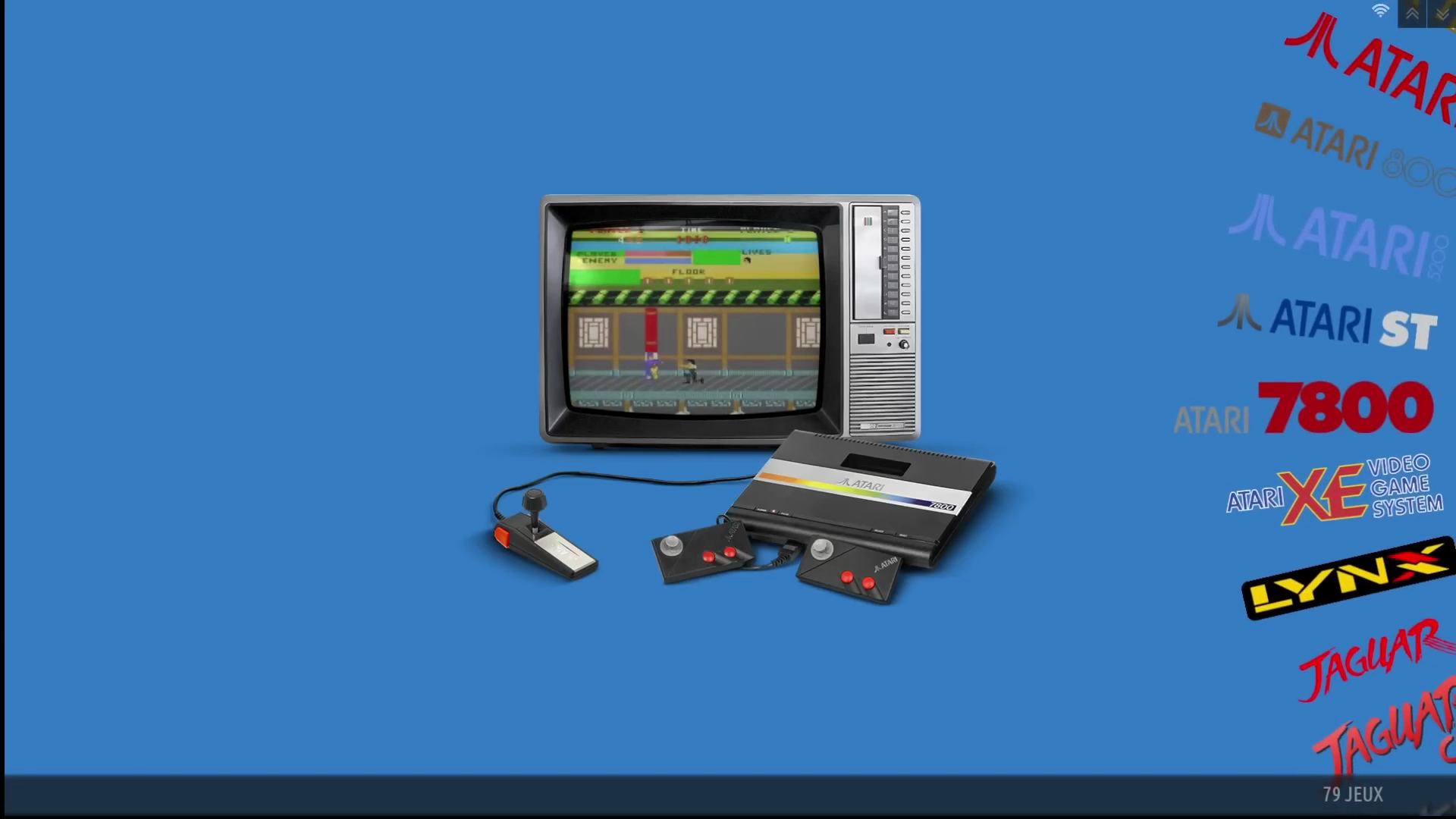
Batocera is a free open-source operating system designed specifically for retro gaming. Install it on a USB drive, boot a machine and you’ll instantly have a console-like interface capable of running emulators for hundreds of classic systems.
The project supports everything from early arcade titles through to more modern platforms, while keeping the setup process refreshingly approachable.
It’s a great example of the sort of project that thrives in the open-source ecosystem: software that takes forgotten hardware and makes it fun again. Bring your own ROMs.
Many developers and technical users are increasingly interested in reducing reliance on proprietary software and moving to open-source but figuring out where to start can be surprisingly difficult. Enter FOSS Alternatives.
Beko8810 essentially compiled a directory of open-source alternatives to popular tools from companies like Google, Microsoft and Adobe.
Hundreds of projects are listed across dozens of categories, making it easy to discover replacements for everything from note-taking apps to design tools and productivity suites.

As useful as it is to have somewhere to look for alternatives to specific products – beware! You may find yourself browsing and realise how much of your workflow could be rebuilt using open technologies…
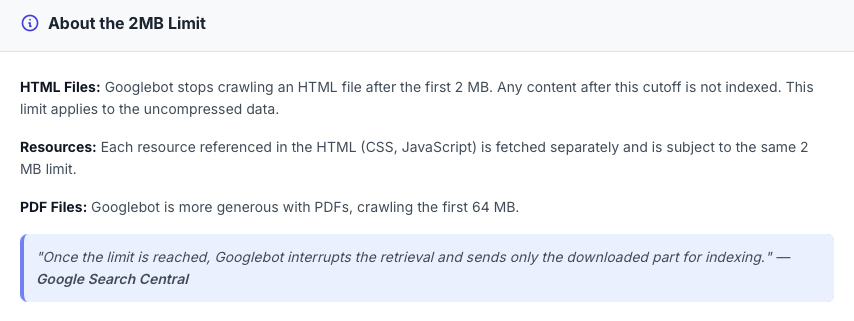
Google’s crawl limit is currently 2 MB for web pages and 64 MB for PDFs.
While that may not seem like a lot, modern websites often contain far more content than you’d think once scripts, frameworks and generated markup enter the picture.
G-Bot Limit Checker explores a simple question to assist developers and technical SEOs in understanding what is actually seen by search engines: how much of your page does Googlebot actually read?
Between support tickets recently, we’ve been having some fun conversations after watching a recent viral video by WWE NXT’s Shiloh Hill.
The apps featured in the short clip are:
- maps.me which is used to download an offline map of the world
- Kiwix to download all of Wikipedia
- PocketPal to interact with a fully on-device SLM
As a web hosting provider that’s built our own proprietary, high-availability platform, and deals with data preservation; Hill’s approach piqued our interest.
If you were building the ultimate offline civilisation starter kit, what would you include? Let us know in the comments section!