


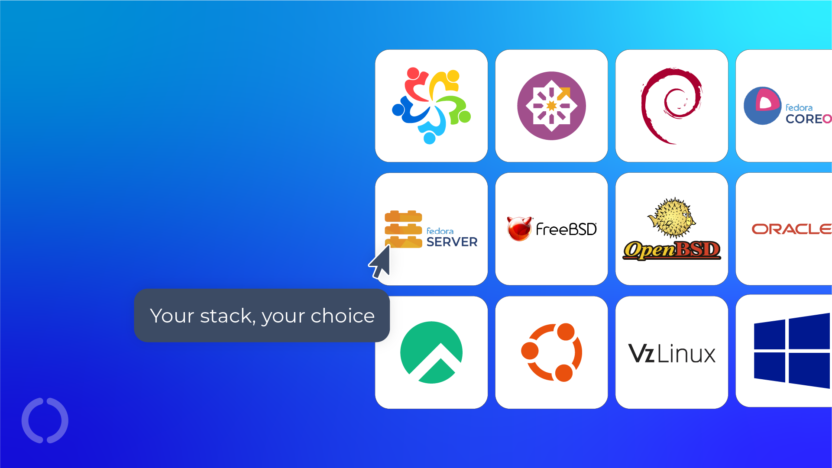
There’s more to choosing a VPS than speccing out RAM, CPU cores and storage. Your choice of operating system has an impact on everything you’ll build and serve.
In this guide, we’ll walk through the twelve operating systems available on our VPS platform, what they’re designed for and the kinds of workloads they’re best suited to.
How to choose an Operating System
Due to their flexibility, unlimited bandwidth and sudo privileges, customers use our VPS platform to run an exceptionally wide range of services:
- Running SaaS platforms
- Launching bespoke eCommerce stores
- Running VoIP systems
- Building development and staging environments
- Creating secure VPN gateways
- Deploying containerised applications
- Hosting game servers
(For more creative ideas, see our guide to alternative uses for a VPS.)
The driving factor behind your choice of OS should be what you intend to use your VPS for.
Production hosting environments favour stability and long-term support. Development or SaaS platforms benefit from newer packages and broader ecosystem support and multi-service setups favour immutable, container-first operating systems.
Understanding these trade-offs makes it much easier to choose the right foundation for your stack.
Meet the contestants
As you run through the list of operating systems available on our VPS platform, one thing becomes immediately obvious: most of them are Linux.
Linux is the backbone of modern infrastructure thanks to its flexibility, transparency and open-source development model. It can run everything from tiny embedded systems to the world’s largest cloud platforms.
The distributions we offer fall into a few broad families, each with their own approaches and strengths.
Enterprise Linux Distros
These are built around Red Hat Enterprise Linux (RHEL) compatibility and are designed for long-term stability. Their update cycles are predictable and their ecosystems are mature, which is why they’re widely used in professional hosting environments.
If you’re deploying production websites, SaaS platforms or agency infrastructure, these are often the safest choices.
AlmaLinux

When CentOS moved away from its traditional rebuild model, the hosting community needed a stable, long-term replacement that would maintain compatibility with Red Hat Enterprise Linux. AlmaLinux quickly emerged as one of the most trusted options.
It is community-governed, open-source and designed for production environments.
That has made Alma popular with users who want predictable updates and enterprise-grade reliability without licensing costs.
For VPS users running business websites, SaaS platforms or client infrastructure, AlmaLinux offers a familiar and stable environment with broad compatibility across modern web stacks.
Best for: production hosting and agency environments including WordPress, Magento and client websites where predictable updates and RHEL compatibility are essential.
Rocky Linux

Rocky Linux was founded by Gregory Kurtzer, one of the original creators of CentOS, with the goal of providing a community-driven continuation of the CentOS philosophy – a stable, enterprise-grade Linux distro fully compatible with Red Hat Enterprise Linux.
Rocky follows a conservative release model that prioritises stability over experimentation which suits it to use in infrastructure where uptime and predictability are critical.
Due to the pedigree, Rocky Linux feels very similar to the CentOS environments many administrators used for years and provides a smooth transition for those migrating away from older CentOS deployments.
Best for: migrating legacy CentOS environments and running stable production workloads, including business-critical web apps, where consistency and long-term reliability are critical.
CentOS Stream

CentOS itself hasn’t disappeared, but it has changed.
CentOS Stream now sits slightly ahead of Red Hat Enterprise Linux in the development pipeline. Instead of being a direct rebuild, it acts more like a preview of what’s coming next.
That makes it particularly useful for developers who want visibility into upcoming changes in the enterprise Linux ecosystem.
It’s less commonly used for static production deployments, but it can be very valuable in development and testing environments.
In short – if you want RHEL compatible stability, pick Alma/Rocky; if you want a preview of what’s coming to RHEL, pick CentOS Stream.
Best for: development environments and CI/CD pipelines, including code testing against future RHEL releases, where early visibility into upstream changes is more valuable than absolute stability.
Oracle Linux

Oracle Linux is another distribution built for compatibility with Red Hat Enterprise Linux. It includes Oracle’s Unbreakable Enterprise Kernel, which is optimised for performance and large-scale workloads in environments running databases or enterprise applications.
While Oracle Linux is often associated with Oracle’s cloud ecosystem, it remains a capable and stable general-purpose server operating system.
For VPS users working with enterprise software stacks, especially those already familiar with Oracle tooling, it is a natural fit.
Best for: enterprise workloads, particularly database-driven applications and Oracle-based systems, where performance tuning and commercial support options are important.
VzLinux

Virtuozzo’s VzLinux is fully compatible with Red Hat Enterprise Linux and focuses heavily on performance optimisation for cloud infrastructure and virtual machines.
It inherits a lot of optimisation work from Virtuozzo’s container and virtualisation platform, which makes it particularly efficient in cloud and VPS environments.
Because of this focus, VzLinux is particularly well suited to deployments where efficiency and resource management are important.
While it’s less widely known than some other enterprise Linux distributions, it offers the same stability and compatibility that administrators expect from the RHEL ecosystem.
Best for: virtualised environments where efficiency and resource optimisation matter, particularly in high-density or cloud-focused deployments.
The Debian Family
Debian-based systems are known for flexibility and developer-friendliness in both the server and end-user spaces.
We offer two distinct Debian-based operating systems for our VPS:
Debian

Debian has one of the longest histories in the Linux world. It’s known for its stability, huge software repositories and extremely conservative release philosophy.
In practice, Debian makes a fantastic foundation for VPS environments because it starts minimal and lets you build exactly what you need on top of it.
This minimal install footprint makes it attractive for lightweight VPS deployments where every megabyte of RAM and disk space matters.
If you prefer a lightweight system where you control every component, Debian is hard to beat.
Best for: deployments and custom-built stacks, including API services, web servers and application environments where low overhead and full control are priorities.
Ubuntu Server

Ubuntu builds on Debian but takes a more opinionated approach.
It offers long-term support releases; enormous documentation resources and a huge ecosystem of tutorials and community support have made it one of the most popular server platforms.
If you’re launching a SaaS platform, experimenting with APIs, or deploying applications using languages like Node.js or Python then Ubuntu is often the easiest place to start.
Best for: SaaS platforms and modern web applications, including Node.js, Python/Django, Laravel and API-driven services where ecosystem support and ease of deployment are key.
The Fedora Family
Fedora sits slightly closer to the leading edge of the Linux ecosystem. Many technologies that eventually appear in enterprise distributions first appear in Fedora.
Fedora Server

Fedora Server gives you access to newer software and faster release cycles than enterprise-focused distributions.
For developers who want access to the latest tooling, libraries and runtime environments, Fedora can be a very attractive option.
https://fedoraproject.org/server
Best for: development environments and modern application stacks, including testing newer runtimes and frameworks, where access to up-to-date packages is beneficial.
Fedora CoreOS

Fedora CoreOS, instead of being designed as a traditional server operating system where you install packages directly onto the system, it takes a container-first approach.
It’s a minimal, automatically updating operating system based on an immutable system design that takes up a minimal footprint while being able to run containerised workloads securely and reliably.
In practice, that means the base operating system stays extremely small while the applications you run live inside containers using Ignition/Butane configs and Podman.
With CoreOS you can run multiple services on one VPS – web applications, databases, even game servers – each isolated in its own container environment. For example, Nginx, PostgreSQL and Redis.
The result is a system that’s easy to maintain, easy to update and far less prone to dependency conflicts.
https://fedoraproject.org/coreos
Best for: containerised workloads and multi-service VPS setups, including web apps, databases like PostgreSQL, caching layers like Redis and even game servers, where isolation and reproducibility are critical.
Berkeley Software Distributions
FreeBSD and OpenBSD come from the BSD family of Unix-like systems, which have their own history and design philosophy.
FreeBSD

FreeBSD is widely respected for its engineering discipline and powerful networking stack.
It’s used in large-scale infrastructure environments and high-performance networking systems, and is known for excellent performance and system coherence.
If you’re an experienced administrator who wants precise control over your system and networking behaviour, FreeBSD is a great platform to explore.
Best for: networking-heavy workloads and infrastructure services, including load balancers, custom routing and network appliances, where performance and fine-grained control are required.
OpenBSD

OpenBSD takes a slightly different approach. Its primary focus is security.
The project is famous for its proactive code auditing and conservative development philosophy. The result is an operating system designed to minimise attack surface and maximise reliability.
Best for: security-focused deployments such as VPN gateways (WireGuard/OpenVPN), firewall systems and secure remote access, where minimising attack surface is critical.
Windows Server

There are still situations where Windows is the right tool for the job. Our VPS can be set up with Windows Server 2016 to support technologies like ASP.NET, Microsoft SQL Server and other software designed specifically for the Microsoft ecosystem.
If your application stack depends on those technologies, a Windows VPS is the natural choice.
https://www.microsoft.com/windows-server
Best for: Microsoft-based applications such as ASP.NET and SQL Server, including enterprise apps and Remote Desktop environments, where Windows ecosystem compatibility is required.
Performance Overhead Comparison
When choosing an operating system for your VPS, baseline overhead matters as a portion of your server resources will be used to power the OS. Here’s what a fresh install typically looks like:
| OS | Disk Space | Idle RAM | CPU Idle Load |
| AlmaLinux | ~2–4GB | ~200-300MB | Very low |
| Rocky Linux | ~2–4GB | ~250-400MB | Very low |
| CentOS Stream | ~2–4GB | ~250-400MB | Very low |
| Oracle Linux | ~6–8GB | ~300-500MB | Very low |
| VzLinux | ~3–5GB | ~250-400MB | Very low |
| Debian | ~1–2GB | ~100-250MB | Very low |
| Ubuntu Server | ~2–3GB | ~200-300MB | Very low |
| Fedora Server | ~3–4GB | ~300-350MB | Low |
| Fedora CoreOS | ~1GB | ~100-150MB | Very low |
| FreeBSD | ~1–2GB | ~100-200MB | Very low |
| OpenBSD | ~1–2GB | ~100MB | Very low |
| Windows Server 2016 | 32GB+ | 1GB+ | Higher |
Figures are for fresh, headless installs. Resource usage will increase as you add services. Always allocate extra headroom for logs, updates and your applications.
For most Linux and BSD systems, the OS overhead is negligible compared to application workloads whereas Windows requires significantly more baseline resources, which should be factored into your VPS sizing.
A Word of Caution
Almost all Linux distributions can technically run almost any workload. However, for production VPS environments where uptime matters, stick to the native package manager:
- Debian / Ubuntu → apt
- Alma / Rocky / CentOS → dnf
- Fedora → dnf
- CoreOS → container images via Podman
- BSD → pkg
Avoid mixing ecosystems such as Snap or Flatpak on production VPS systems as this can introduce dependency conflicts, instability and unexpected behaviour after major OS updates. Simplicity equals stability.
Final Thoughts
Your VPS is a blank canvas. The operating system you choose shapes how you deploy, manage and scale your workloads.
If you’re still deciding what you want to build, our one-click deploy lets you test any OS in a matter of minutes or you could reach out to our friendly Sales team for advice on what would best suit your intended use case.
If there’s an operating system you’d like to see added to our VPS platform, we’d genuinely love to hear from you. Let us know your thoughts!
Deploy all your apps with great value virtual server hosting, no compromises. Our high-performance VPS include:
- Lightning-fast speed with 100% SSD storage
- Genuine unlimited bandwidth – no throttling, ever
- Deploy standard distro, 1-click app or custom image
- Manage your servers through one single, intuitive control panel
- 100% green hosting powered by renewable energy
Find out how our VPS Hosting is the perfect choice, from personal projects to complex apps. Visitors outside the UK can view our VPS Hosting here.